

For self-service salvage yards
Every car in your yard, on your website.
YardWave lists your cars, the parts still on them and your prices on the website you already have, so customers know the car is there before they drive out.
Invite onlyNow enrolling our first yards. We set up each one with its owner.
Add cars by VIN from a phone
Year, make, model and engine fill in from the VIN.
Parts and prices for every car
Each car's parts list comes from its body style, priced from your list.
Search on your own website
One line of code, styled to match your site.
Row and space for customers who join
They see exactly where the car sits.

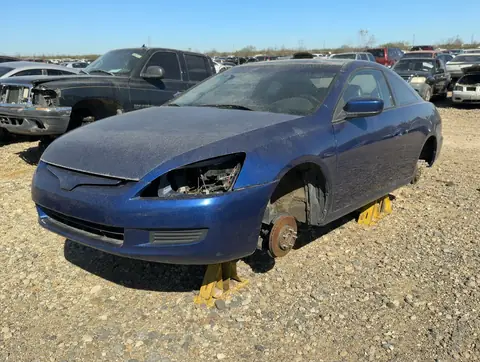
Works on the website you already have
Your staff keep working the way they do.
YardWave turns intake, the row walk and the exit counter into a search your customers can use, without asking anyone to enter the same thing twice.
- 01
Set cars from a phone
Scan the VIN and YardWave fills in the year, make, model and engine. Take as many photos as you like, pick the row and space, and the car's parts list appears without anyone typing it.
- 02
Customers search your site
They search by vehicle or by part and see the photos and your prices, on your own website.
- 03
Sell at the counter
Mark a part sold at the exit and it drops out of search right away, so nobody drives out for a part that is gone.
Try it on a sample yard's website
This is the real search, working. Search by vehicle or by part, open a car and look through its photos.
Red Mesa U-Pull
Inventory
Red Mesa U-Pull is a sample yard. Its cars are made up and their photos generated: no real yard or car is shown.
Built for how a u-pull yard runs
Row walk, even offline. Walk the rows with a phone and mark what is gone. If the back rows have no signal, it keeps your changes and sends them once you are back in range.
A quick exit counter. Scan the tag, pick the part, record cash or card on your own terminal. Under ten seconds a part.
Arrival alerts. A customer saves a search, say a 2006 to 2011 Civic, and hears once when a match is set in your yard.
Your price list. Price by part type as you do now, change one part's price when it is worth more, and flag the parts that sell. Search and your website show the same price.
Support you can see. If we ever work inside your account to help, a banner stays on screen the whole time and every visit is logged.
What Fits, later. A future add-on that shows every car in the yard that can donate a part, across models and years. Not available yet.
Simple pricing.
One plan with everything in it, priced by how many cars are in your yard.
YardWave
Everything on this page, for one yard. Now enrolling our first yards.
$199a month, up to 500 cars
Then $40 a month for each further 250 cars.
After your first 90 days, you can pay a year in advance: $1,990 a year, two months free.
Get YardWave- Photos, parts and prices for every car
- No charge per staff account
- Search on your own website
- Customer accounts and arrival alerts
- We set up your yard with you
By the size of your yard
| Cars in the yard | Per month |
|---|---|
| Up to 500 | $199 |
| 501–750 | $239 |
| 751–1,000 | $279 |
| 1,001–1,250 | $319 |
| 1,251–1,500 | $359 |
Cars are counted as the average in your yard over the month, so a truckload from an auction does not spike your bill.
What Fits, a later add-on
Parts compatibility search, priced separately once its parts catalog is licensed. Not available yet, and not part of the price above.
Everything in the plan
Inventory
- Add a car by scanning or typing its VIN
- Year, make, model, engine and body from the VIN
- Type the details in when a VIN will not decode
- Row, space and crush date for every car
- A parts list for each car from its body style
- Record only what changes: sold, damaged, not in the vehicle
Photos
- As many photos per car as you like, taken in the app
- Shrunk on the phone before upload, so weak signal copes
- Location data stripped from every photo
- Removed when the car is crushed
Selling
- A price list by part type
- One part's price changed without touching the list
- Popular parts flagged
- Exit counter: scan the tag, pick the part, mark it sold
- Cash or card on your own terminal, recorded with the sale
Your website
- A search for your site, added with one line of code
- Search by vehicle or by part
- Colours and fonts to match your site
- Your price list on your site, the same as in search
- Only websites you approve can show your inventory
Customers
- Anyone can search cars, photos, parts and prices
- Row and space for customers who join your yard
- Saved searches with arrival alerts
- One customer account for every YardWave yard
Your team and your data
- Admin, counter and yard roles for your staff
- Row walk on a phone that works offline
- Your inventory data is yours to export
- Support visits shown on screen and logged
- Stored in the United States, with no ads or trackers
Questions yards ask
Something else on your mind? Email hello@yardwaveapp.com.
Do we need a new website?
No. YardWave adds a search to the website you already have. If you, or whoever runs your site, can paste one line of code into a page, that is all it takes.
Do customers need an account to search?
No. Anyone can search your cars, see the photos, and check which parts are still there and what they cost. The row and space show only to customers who sign up and join your yard.
What if a VIN will not decode?
You type the year, make and model yourself. A car never waits at the gate because of its VIN.
What equipment do we need?
The phones and computers you already have. YardWave runs in a web browser, so there is nothing to install.
Who owns our data?
Your yard owns its inventory, photos and prices. You can export them, with the contact details of customers who joined your yard, whenever you like and for 30 days after you leave.
What happens if we leave?
We offer you an export first. Your yard's data is deleted 30 days after your subscription ends. If you ask us to delete it, you still have those 30 days to change your mind.
How is the price worked out?
By the number of cars in your yard, averaged over the month. There is no charge per user.
What is What Fits?
A later add-on that finds every car in your yard that can donate a given part, including other models and years. It needs a licensed parts catalog, so it is not available yet and is not in the plan price.
Get your yard online.
YardWave is invite only while we enroll our first yards. Ask for an invitation, and we will set up your yard, your price list and the search on your website with you.